Open Source · Local-first · Tauri Desktop · codepapr-server Host · Plugin Market · MCP · Prefix Cache

CodePapr — Wuhan's Best Harness

A coding agent that runs on your machine: search, edit, run, and verify, all through the local codepapr-server host. The main agent coordinates Explore / Scout / Mentor, with byte-level optimization for the LLM prefix cache.

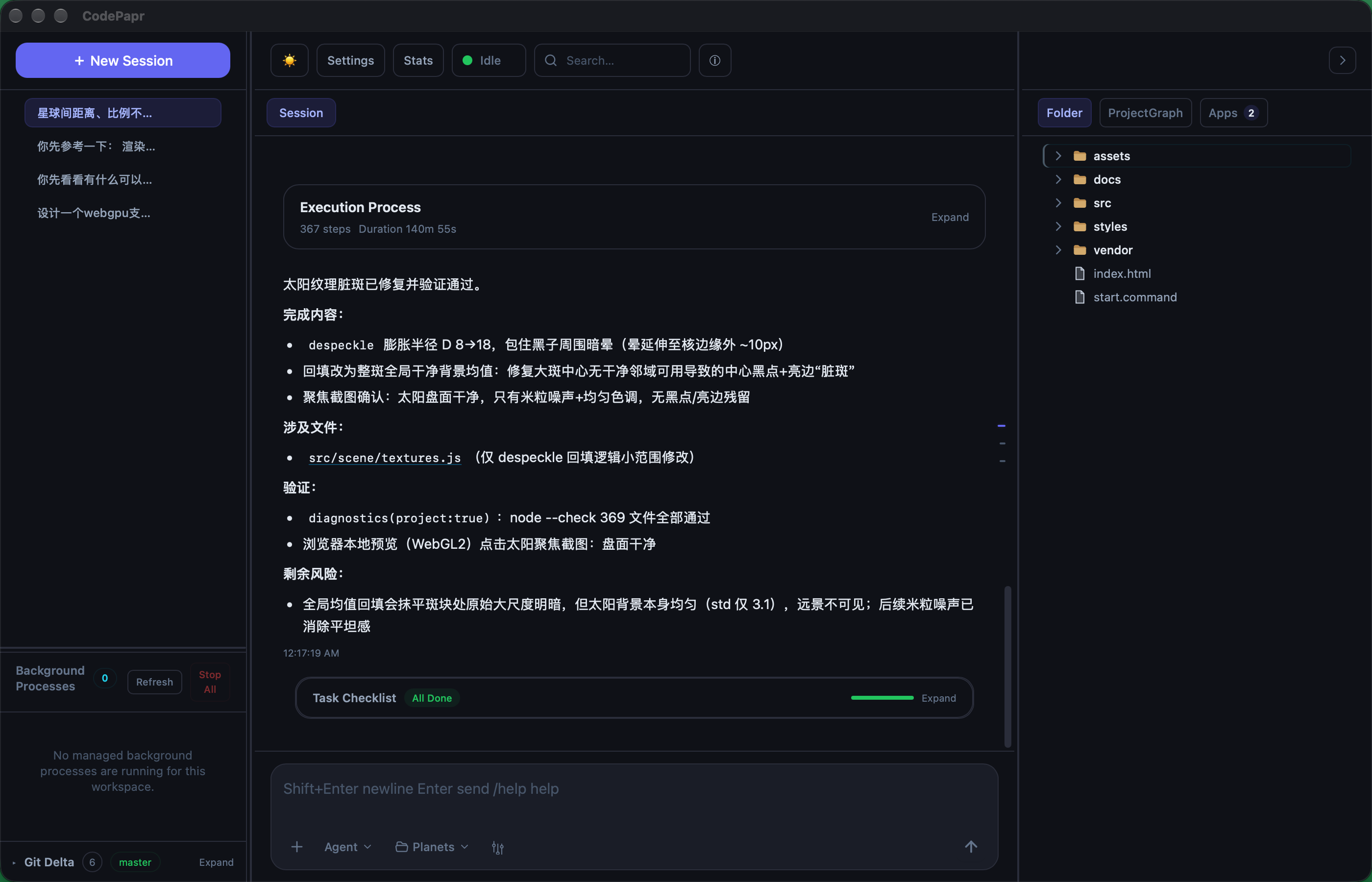
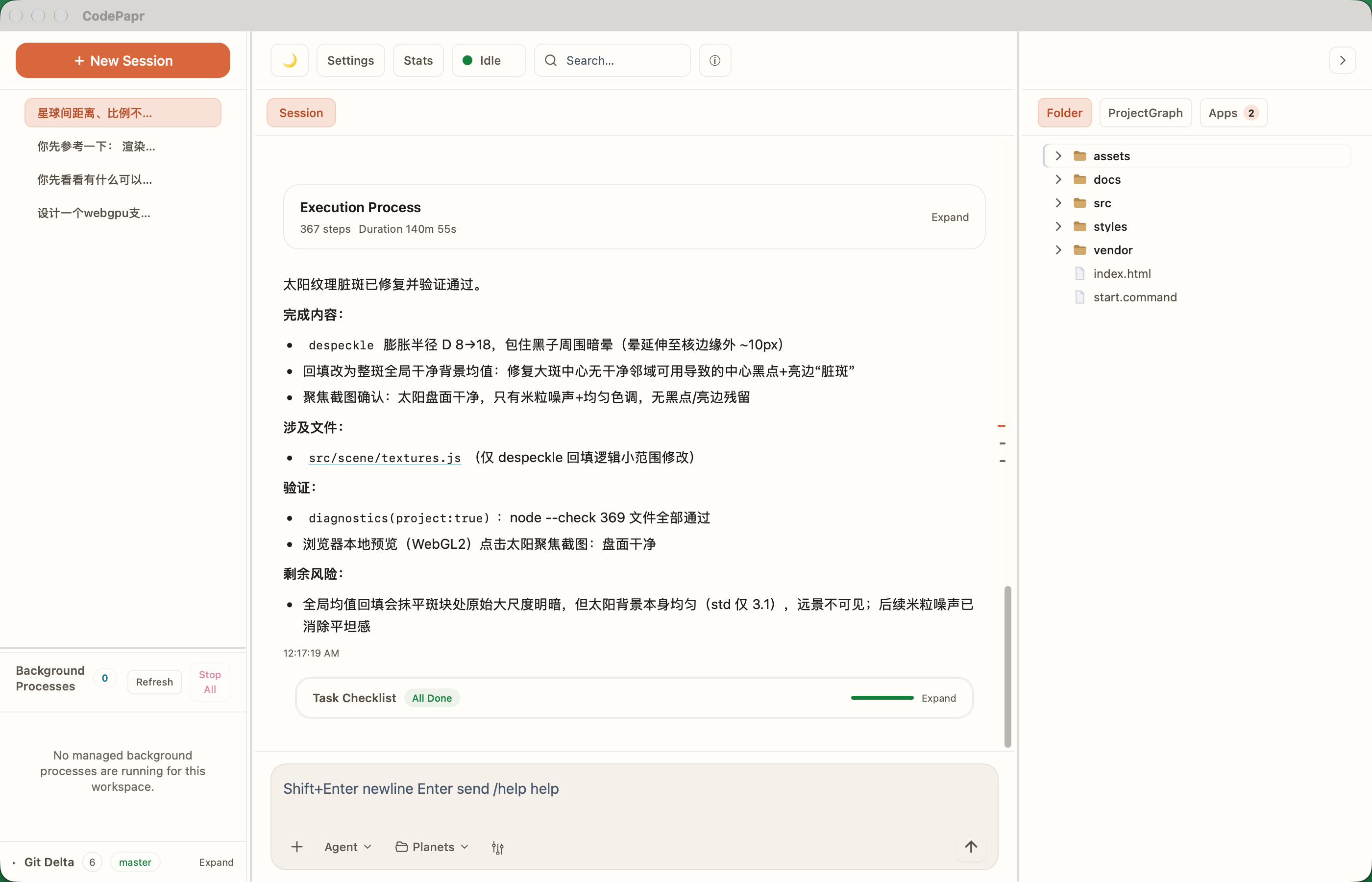
CodePapr Desktop Workbench
CodePapr Desktop Workbench Screenshot (Dark Theme) CodePapr Desktop Workbench Screenshot

One Runtime, Four Modes

Ask · Plan · Agent · App — one runtime, from explanation to execution to .papr apps

Ask

Explain architecture, trace responsibilities, analyze error causes. Read-only by default — no file changes or commands.

Read-Only · Explain

Plan

Before big changes, lay out a plan, a task list, and how you'll verify it; ask when something is ambiguous, then execute once you confirm.

Plan · Decompose

Agent

Searches the project, reads and writes files, runs commands, verifies — then fixes bugs or ships features in one go.

Execute · Read/Write

App

Generate interactive .papr apps (charts, boards, panels), or install from the official market into global or project scope — isolated origin / CSP / SQLite.

Visualization · Market Install

More Than a Chat Window

File Tree · Monaco · Git · Browser · LSP · Plugin Market — all in one interface

Project File Tree + LSP

Full project browsing, Monaco highlighting, LSP-first (definition/references/hover/call hierarchy), with automatic AST project-graph fallback when LSP is unavailable.

Slash Command Palette

Type / for commands. Keyboard navigation.

Agent Autonomous Execution

Search, file edits, commands, and verification — all automatic. The agent loop runs in @codepapr/core on the desktop; file and command work goes through the local host so the UI stays responsive.

Git Integration

Diff, commit, branch switch, safe rollback. Agent handles analysis; human gates high-risk operations.

Browser Integration

Launch preview, page interactions, screenshots. Frontend debugging in one window.

TodoList Task Planning

Auto-create checklist for complex tasks, track progress in real-time, auto-collapse on completion. Auto-retry on failure.

Goal Autonomous Loop

/goal: main Agent runs, Verifier checks, until the verification condition passes.

Conversation Reset (Git)

Auto-commit before each user message. Reset --hard from any message; code and chat roll back together.

Round Navigation

Right-side round bar. Click to jump.

Project Memory (auto-maintained)

Preferences, constraints, and verified facts are curated into .CodePapr/MEMORY.md — readable, editable, diffable. The panel is the editor; saves take effect next turn. How context is stacked.

App / Plugin Market

Install .papr from the official registry into global or project scope; isolated origin, CSP, and private SQLite, with app_publish push.

Multi-agent Collaboration

The main agent hands work to Explore (code), Scout (web), and Mentor (architecture) via task; Verifier, Compactor, and the memory curator run behind the scenes.

Desktop + CLI Host

Desktop and codepapr-cli share the same local codepapr-server (JSON-RPC). The capability lives in codepapr-core; clients only call into it. Tutorial

Character Roleplay Beta

Create or import cards (PNG/JSON). Talk in that voice when enabled. Off by default — turn it on under Settings → General → Experimental features.

Local Voice Synthesis (TTS) Beta

GPT-SoVITS-based voice synthesis from reference audio. Streaming WebSocket output with multilingual support. Off by default — turn it on under Settings → General → Experimental features.

Built from Scratch by CodePapr

All projects below were independently designed, coded, and organized by CodePapr

Type / to Invoke

19 built-in commands, auto-routed to primary or fast model by task complexity; /help /commands /undo bypass models, zero token cost

CommandPurposeModel
/help   /commandsList all available commands and descriptionsLocal
/compactForce-compress current session context — deterministic skeleton checkpoint (zero LLM; one second-level summary only if the skeleton still overflows)Primary / Fast
/undoUndo the last conversation reset (restore truncated messages and code snapshot)Local
/goalAutonomous loop: main Agent executes + Verifier audits, until the verification condition passesPrimary
/reviewReview changes or specified scope, prioritize bugs and regression risksPrimary
/fixLocate and fix issues, auto-run verificationPrimary
/testAdd tests for specified feature or run existing testsPrimary
/explainExplain file, function, symbol, or error implementation approachPrimary
/diagnoseDiagnose errors, slow operations, or abnormal behavior root causesPrimary
/refactorSafe refactoring, preserving behaviorPrimary
/docWrite or update documentation (.md extension only)Primary
/newCreate new file, component, or feature from descriptionPrimary
/optimizeAnalyze and fix performance bottlenecks, reduce complexity or resource usagePrimary
/buildBuild project and diagnose/fix build errorsPrimary
/searchSearch codebase for patterns, usage, definitions, or referencesFast
/lintRun linter and fix violationsFast
/cleanClean dead code, unused imports, and leftover debug statementsFast
/commitStage changes and generate standardized commit messageFast
/summaryHigh-level overview of file, module, or entire projectFast
💡 Define custom slash commands in .CodePapr/commands/<name>.md or Project Config with $ARGUMENTS, @path file embedding, and !`cmd` inline outputs. Read Tutorial →

Local host, many clients

File I/O, commands, and Git go through the codepapr-server host; the agent loop and prompts live in the TypeScript client. Tauri is the shell, not the agent.

Clients

Desktop · CLI
Same JSON-RPC

codepapr-server

Local host daemon / 159+ RPC · newline-delimited JSON-RPC

@codepapr/core

Agent loop · cache · tools / Explore / Scout / Mentor

project.sqlite

Sessions · checkpoints · plugin UI / workspace source of truth

Desktop shell

Tauri · Monaco · browser / .papr · Stronghold · TTS

To extend or optimize, read Host–Client architecture and context layering.

Run Locally

Open source · Local-first · Desktop workbench